①
Data & timeframes
Primary on 1‑minute candles. The confirmation mode can require 5m/15m confirmation.

BOVOBOT · Overview
This page explains the bot’s fixed, autonomous logic — from trend triggers through filters, order book & support/resistance to fully automatic position management (DCA, SL/TP trailing). Live and backtest use the same rules.
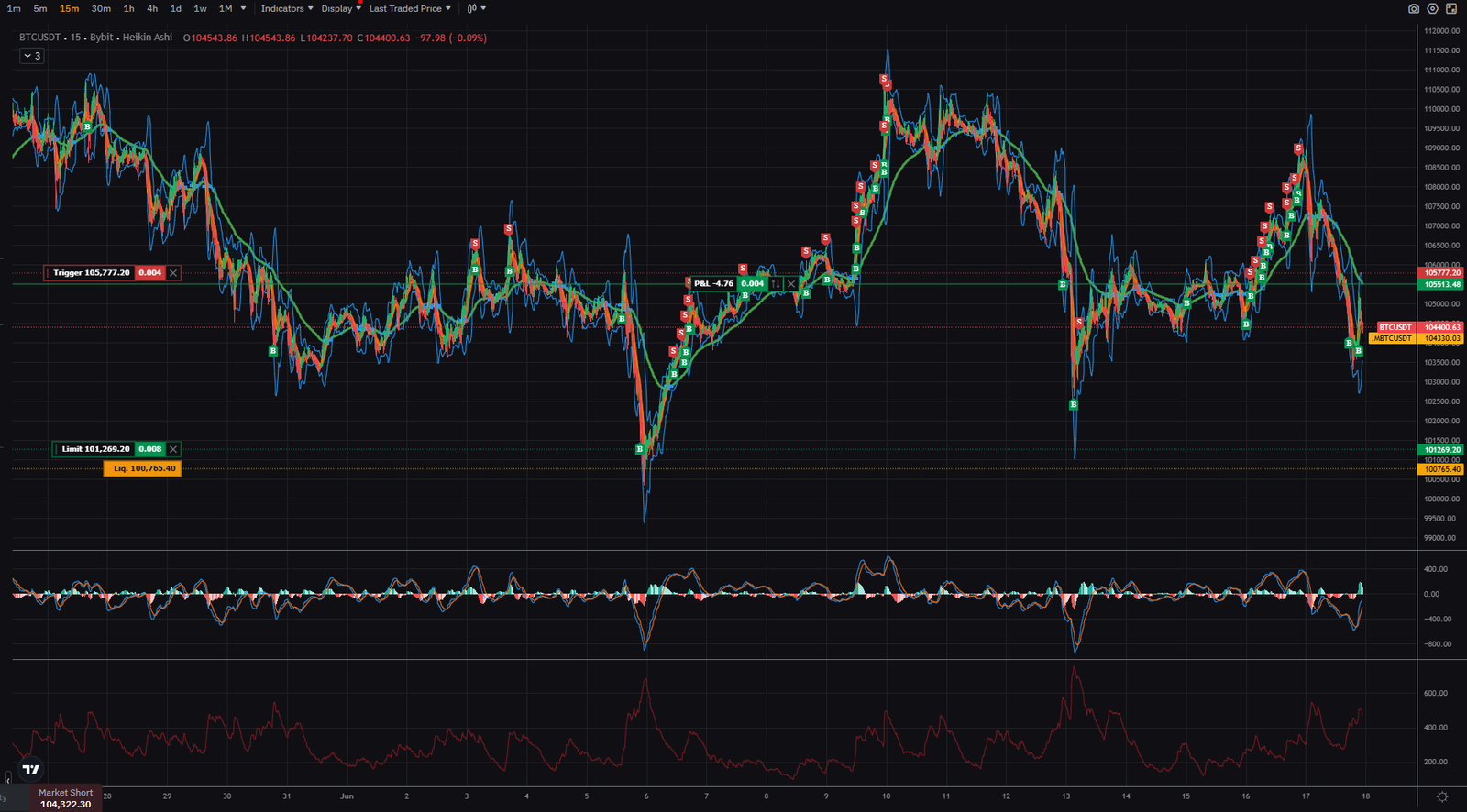
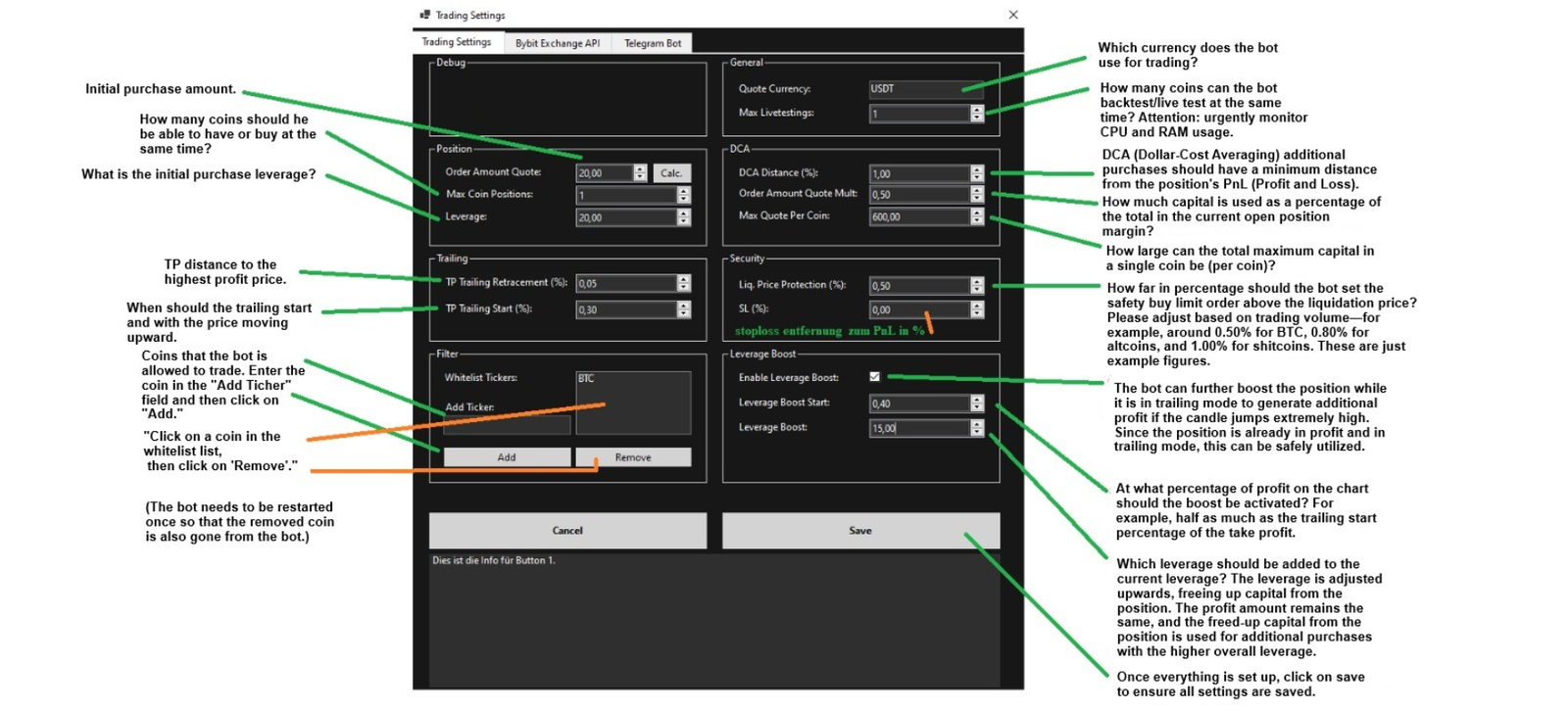
BOVOBOT runs fully autonomous. You only configure the Trading Settings (e.g., order size, whitelist, leverage, DCA distance, TP trailing, safety margins). All signals, filters, optimizations and executions are automatic according to the built‑in logic. There is no manual override of indicator parameters or strategy rules.
Concretely, the bot combines backtests, live checks, multi‑timeframe context, order book data and support/resistance probabilities, runs its own plausibility tests, and retains internal statistics (e.g., recently successful setups/parameters) to sharpen decisions over time. It reacts in the millisecond range (e.g., ~0.005 s). Overall latency depends on the internet connectivity (ping) of your Windows PC or server to the exchange.
Primary on 1‑minute candles. The confirmation mode can require 5m/15m confirmation.
EMA cross and Bollinger band breaks (lower/middle/upper) start potential trades. MACD low→high adds momentum turns.
RSI (with smoothing), optional ADX/ATR/MACD, and multi‑TF checks validate momentum.
Grid‑search over parameters (e.g., RSI length/thresholds, MACD periods). The score blends accuracy, signal count, max increase % and avg bars.
CombinedIndicatorOptimizer selects robust trend+filter pairs and limits history (maxCandles) for fast iteration.
Only fresh flips (e.g., an EMA cross happening now) are considered. Same logic as in backtests.
For ultra‑short trades: tight checks on spread/volume/RSI/EMA plus order‑book imbalance and support distance.
For each indicator the bot explores parameter ranges (grid‑search) and scores by accuracy, signals, max increase and average bars. Combinations (trend + one filter) are evaluated separately.
All parameters live in AppSettings. An extended DCA risk calculator is planned for a later release.

When the fast EMA crosses the slow EMA in the current or previous candle with a clear flip. Old crosses are ignored.
SMA±k·stdev builds the bands. A break of lower/middle/upper is a potential trigger. We also check EMA(2) vs. the band to catch very early moves (live only).
Optionally smoothed RSI. Buys can require RSI ≤ BuyBelow. Thresholds come from optimization/backtests.
Define whether a 1m signal is enough or if 5m (and 15m) must align. More confirmation = fewer, often more robust signals.
Around the market price we measure bid/ask volumes, imbalance, depth delta and spread. This yields a 0–100 score used as a probability hint.
Beyond classical levels (Pivot, S1–S3, R1–R3), BOVOBOT estimates reversal odds. This guides entries, take-profits and stop placement.
Grid‑search over parameters. The score rewards higher accuracy & more signals, while preferring faster setups (lower average bars).
A dedicated live path requires bullish EMA alignment (Close>EMA9>EMA21), a volume impulse, narrow spread and positive 5m confirmation. Only then a buy is flagged.
After reaching the configured TP Trailing Start. The Retracement defines how tight it follows.
Only in profit and after passing the Leverage Boost Start threshold. It can free capital and carefully increase leverage, while the base setup remains unchanged.
No. All indicator parameters and rules are built‑in. You only control the Trading Settings; signal/filter logic runs autonomously.
No. Entry, optional DCA, TP trailing and Leverage Boost are managed automatically based on your settings. If you want different behavior, adjust settings beforehand or stop the bot.
It keeps internal stats and results (e.g., successful parameters/setups) and uses them in future decisions. This is autonomous and not user‑tunable.
Very. The bot processes signals in milliseconds, but order routing and feeds depend on your ping to the exchange. Low latency (e.g., server near the exchange) improves effectiveness.
Windows 7–11 and Windows Server only.
A dedicated calculator is planned for a later release. Until then, use conservative DCA distance/multipliers.
Start with a small order size, a tight whitelist and enable conservative settings. Observe behavior on your markets.